Fast, private daily tools built right into your phone.
Save status updates in original clarity, enhance photo and video quality for messaging, and convert media formats on Android (iOS coming soon). All media processed locally on your phone.

Everything you need, nothing you don't.
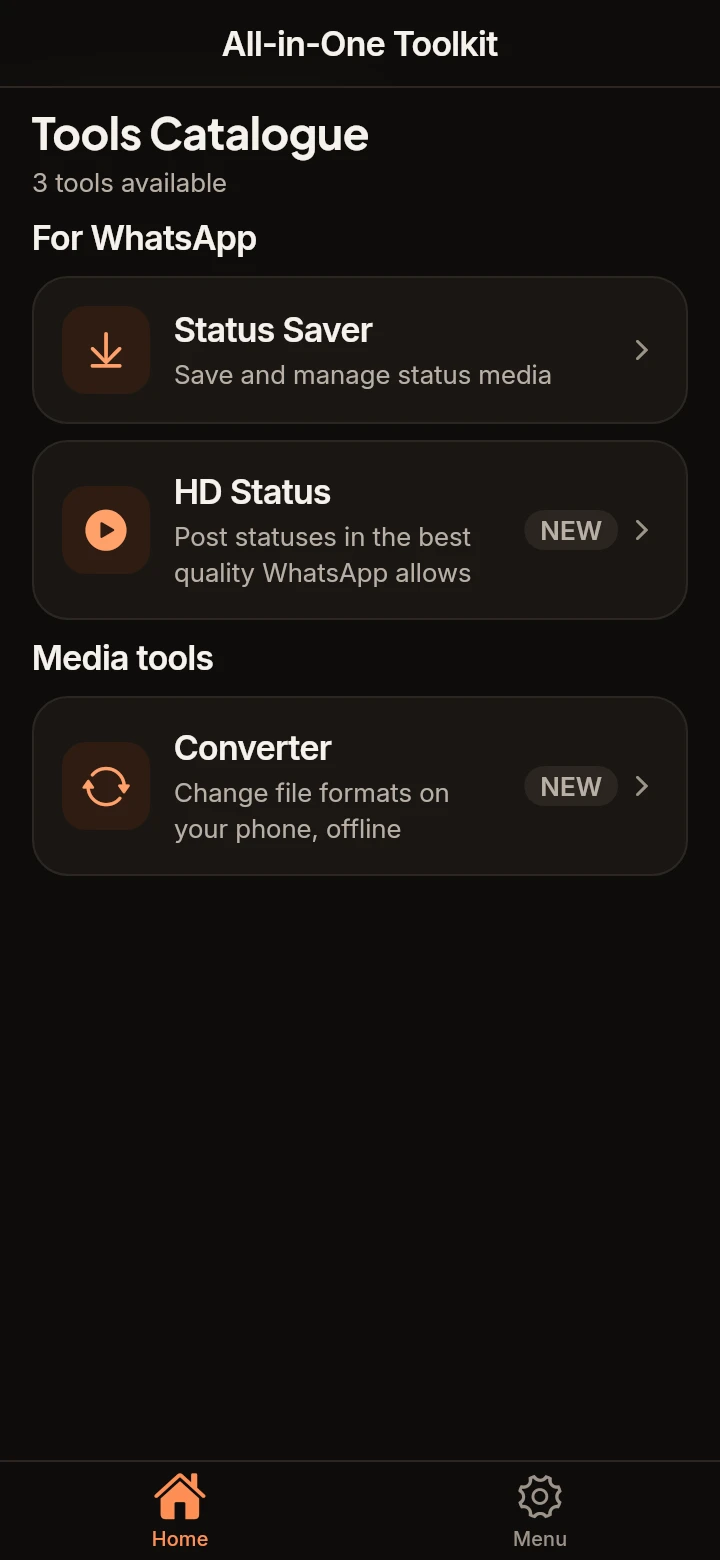
Focused utilities that do one job exceptionally well, without bloatware or unnecessary background services.
Status Saver
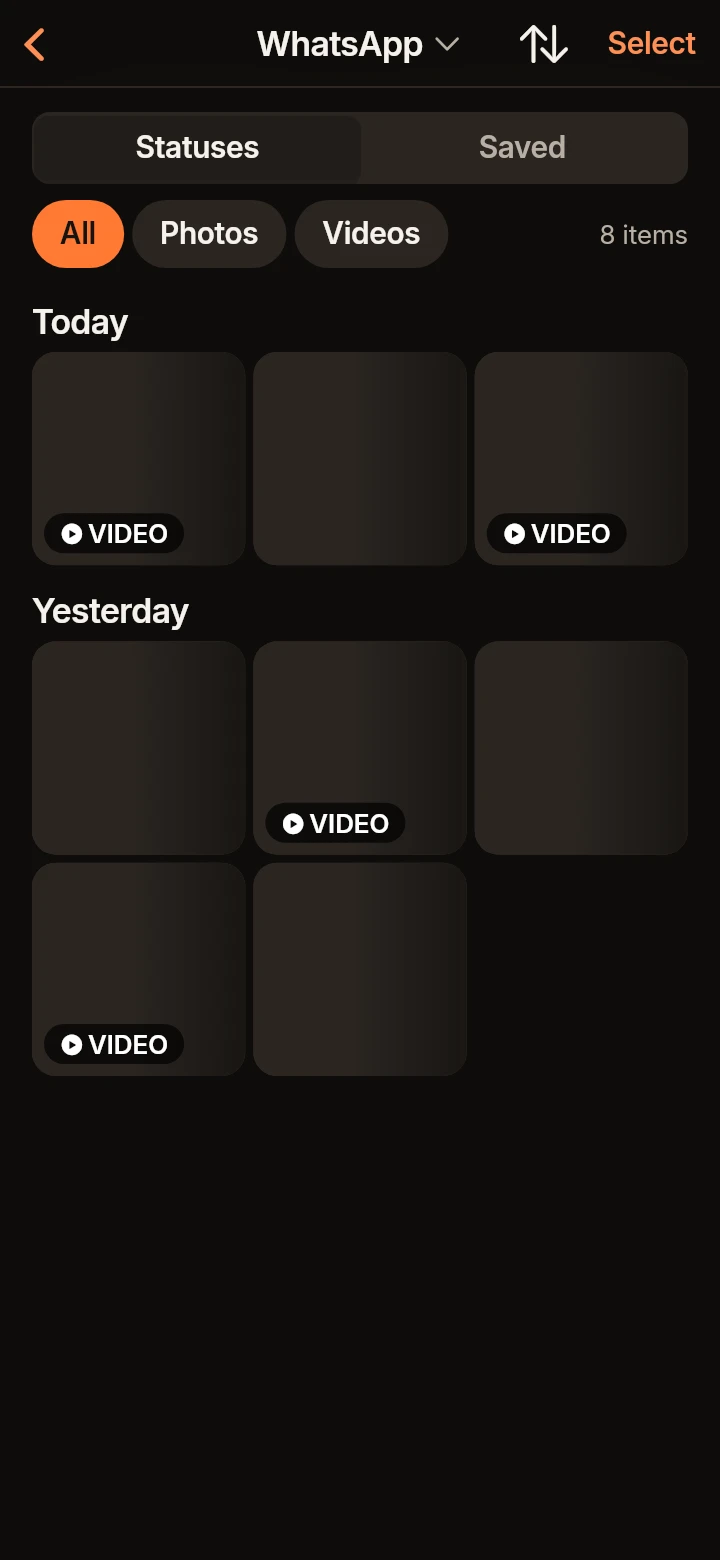
LiveBrowse, view, and save photos and videos from WhatsApp and WhatsApp Business. View recent updates directly on Home with your remembered client, and save instantly to your gallery with the dedicated Save button.
HD Status Enhancer
LivePrepare photos and videos to bypass aggressive compression on messaging platforms. Preserves sharpness and natural colors with background progress notifications during exports.
Media & Document Converter
LiveConvert images, compile PDFs, convert videos to MP4, and extract audio to M4A using native system pickers and background export notifications.
Three simple steps to better media
No registration required. Open the tool you need and get immediate results.
Select your media
Choose files safely using Android native photo and document pickers, or browse your latest status feed directly on Home.
Process on-device
High-performance engines optimize resolution and bitrate locally, with background notifications so you can switch apps while it works.
Save or share instantly
Export directly to your public gallery with one tap, or share straight to your status without quality loss.
Your files never leave your phone.
We believe privacy shouldn't be an option. Our app processes your files locally on your hardware.
Frequently Asked Questions
Clear answers to common questions about privacy, features, and device support.
Are my photos, videos, or statuses uploaded to any server?
No. All media operations — status viewing, saving, HD media optimization, and format conversions — happen strictly on your device hardware. Your personal files never leave your phone.
Does Status Saver notify the sender when I save their status?
No. Status Saver reads cached media already stored on your phone by your messaging client. It does not communicate with messaging servers or alert the contact.
How does Status Saver work on the Home screen in version 0.1.1?
In version 0.1.1, the Home screen displays your most recent statuses automatically once folder access is granted. The app remembers your preferred messaging client (WhatsApp or WhatsApp Business) and provides a direct Save button on each status tile to save immediately to your public gallery without opening the full viewer.
How does the HD Status tool prevent quality loss on messaging apps?
Messaging platforms recompress media heavily when uploaded. Our HD Status engine preprocesses the media to the exact dimensions, color space, and bitrate thresholds required by the platform, ensuring maximum possible sharpness.
Can I leave the app while converting long videos or processing HD status?
Yes. In version 0.1.1, a background foreground service with an ongoing notification ('Preparing your video') keeps long exports running safely if you switch to another app, complete with a progress bar and a Cancel button.
Why does All-in-One Toolkit use native pickers instead of broad storage permissions?
All-in-One Toolkit uses modern Android system pickers (Photo Picker and Storage Access Framework). You select only the specific files or folders you want to work with, keeping all other files on your device private and untouched.
Which formats does the Converter support, and does it require an internet connection?
The Converter supports image conversions (PNG, JPG, WebP, BMP, GIF, HEIC), PDF creation and compression, video conversion to MP4, and audio extraction to M4A. All conversions run completely on-device without an active internet connection.
How are app updates delivered?
Critical improvements and fixes can be delivered seamlessly on launch via background patch updates powered by Shorebird, alongside standard store releases on Google Play. When a patch is ready, a non-intrusive notice invites you to restart the app to apply the latest improvements instantly.
Do I need to sign up or create an account?
No account or registration is required to use the tools in version 0.1.1. You can download the app and use it immediately.
Is All-in-One Toolkit available on iOS (iPhone)?
The iOS version is currently in active development and coming soon to the Apple App Store. The Android version is available now on Google Play.
What versions of Android are supported?
All-in-One Toolkit supports Android 7.0 (Nougat) and up (API 24+). The app is engineered to run smoothly on budget devices as well as modern flagship phones.
How can I join the community or contact support?
You can email our team directly at support@allkitapp.com or use the community links in app settings to join our official channels when available.
Get the All-in-One Toolkit today
Download the app on Google Play (iOS version coming soon) and enjoy fast, private utilities on your phone.